Daily speech practice · iPhone
Practice the call before you make it
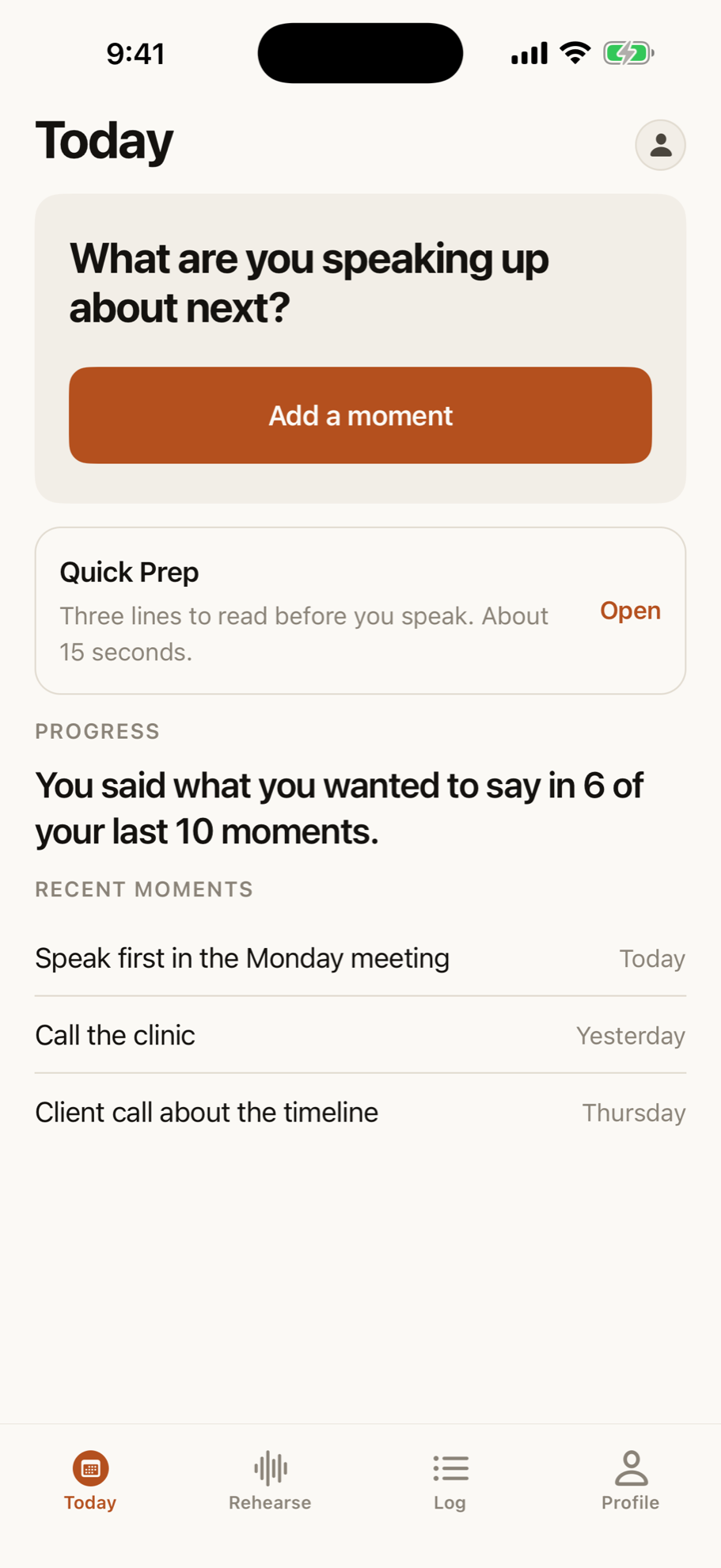
A rehearsal app for adults who stutter or stammer. The app writes the script and speaks the other person. You say your lines out loud. Nothing listens.
No promises about your speech. It counts the moments you entered.
Sound familiar
The hard part is not the block. It is the avoiding.
You order the second item on the menu. You send the email instead of making the call. Every one of these is a moment you can rehearse first, as many times as you want, before it counts.
- A phone callThe call you have put off since Monday
- A job interviewTwenty minutes of questions you cannot script
- Ordering food and drinkA queue behind you and a counter in front
- Saying your own nameThe one word you cannot substitute
- Giving a presentationSpeaking in front of a quiet room
- The daily standup meetingGoing round the room when it is your turn
- Video calls at workUnmute lag and speaking over someone
- Introducing yourself at workThe first ten seconds with someone new
Explore all speaking situation guides & rehearsal strategies →
Your day
Rehearse it, then go and say it.
Each day you prepare for a conversation you actually have to have. The loop is three steps, from the script to the real moment.
1 min
Name the moment
Who you are speaking to, and what it is about.
3 min
Rehearse it
The app writes the script and speaks the other person. You say your lines. Unison speaks with you if you want. You tap to move on.
1 min
Log what happened
After the real conversation: did you say what you wanted, was it hard to get the words out, did you change any words?
Five, ten, or fifteen minutes is an onboarding choice. A rehearsal is shorter than the conversation you are rehearsing.
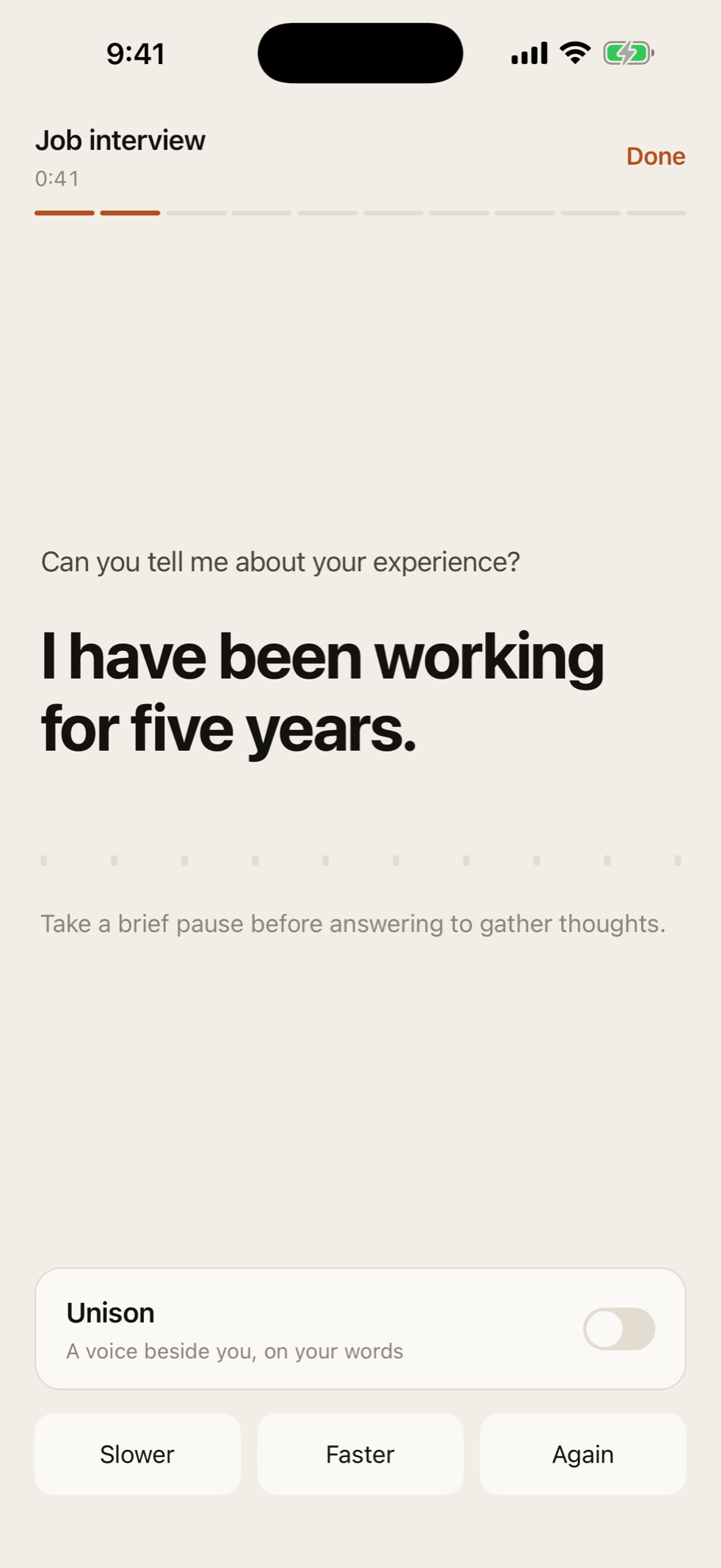
Rehearsal Room
Rehearse real conversations
The app writes the script and speaks the other person. Unison speaks the line with you if you want. You say your lines out loud and tap to move on. Nothing listens.
A rehearsal script is generated for the exact conversation. Run it as many times as you need before the real moment.
Privacy
The app never listens.
People are private about stuttering. Some colleagues do not know. Here is what leaves the phone, and what does not.
There is no microphone
The app never listens. There is no microphone in it, no speech recognition, and no audio permission. It captures no audio, and no recording is ever made.
Where your work lives
Before you link an account, work stays on your phone in a local database. After you sign in with Apple, your work lives in your account on servers in Canada.
The script generator
The two lines you type to build a rehearsal go to the model that writes the script. They are not stored and they are not used for training.
Progress
Track real moments
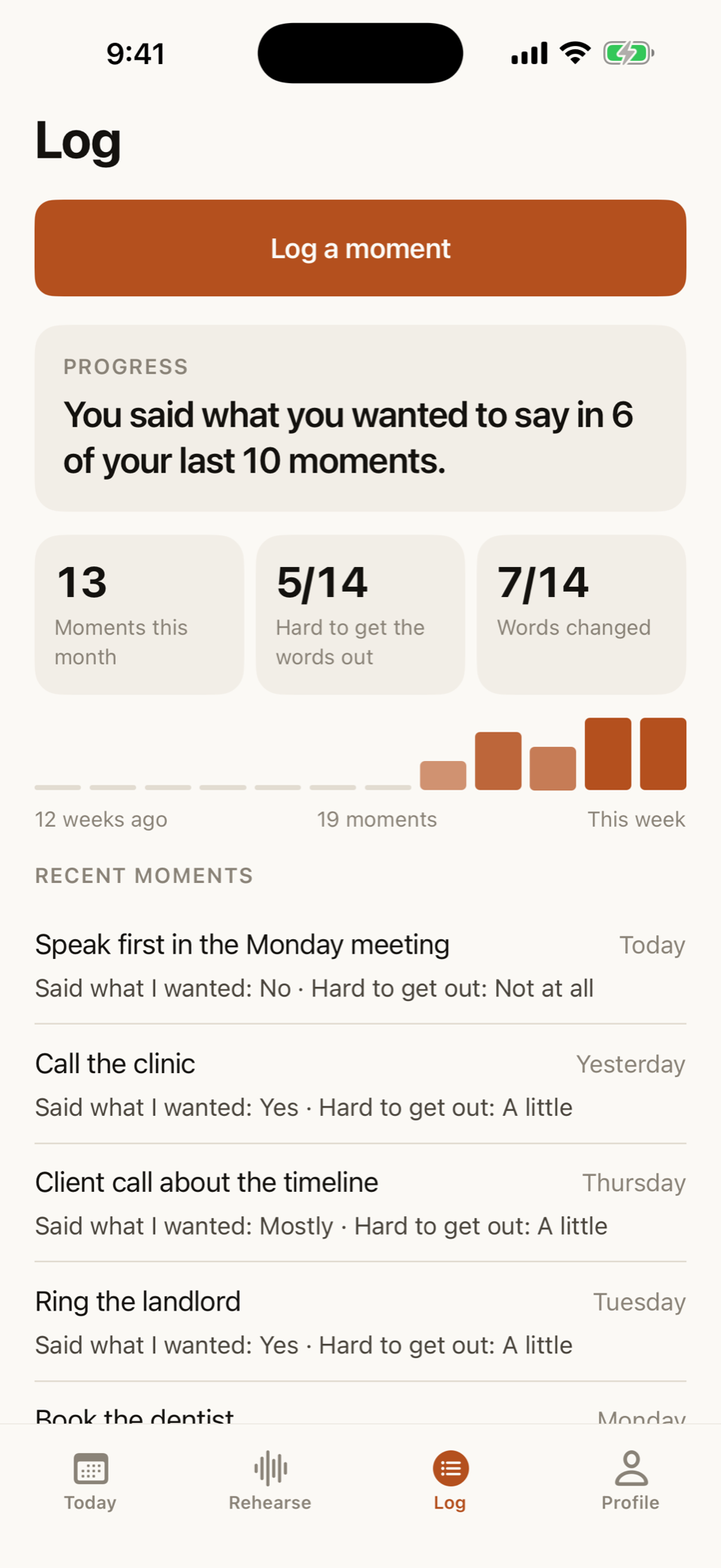
Said what I wanted, in the last 10. Moments entered this month. The app shows one insight at a time, based on your own answers after real conversations. No composite score.
Every number counts something you did. The app does not measure fluency, count blocks, or score how you speak.
The ladder
Celebrate taking part
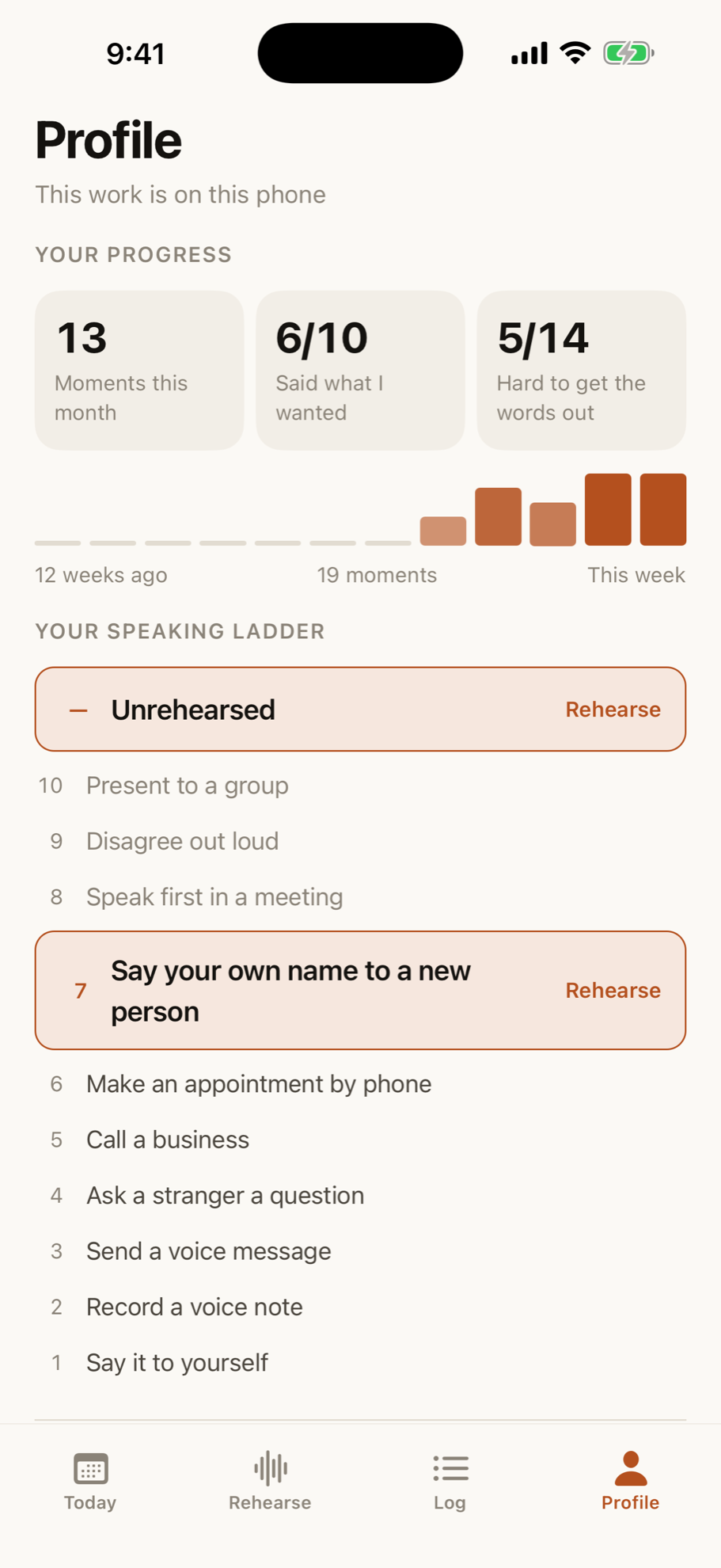
The speaking ladder. Ten rungs. The ninth is disagreeing out loud. We count moments entered, never days you opened the app.
We count the moments you entered. We never count the words you caught on.
What is inside
What is inside
The five core parts of the app, built to help you prepare for real speaking moments.
- Rehearsal Room
- The app writes a script for the conversation you choose and speaks the other person, so you can say your lines out loud before it counts.
- Unison
- The app speaks your line along with you at the same time, using the choral speaking effect.
- Quick Prep
- Three lines to read in about fifteen seconds right before you speak: notice anticipation, say what you mean, and keep going.
- The moment log
- Three quick questions after a real conversation to track whether you said what you wanted and whether speaking got in the way.
- The speaking ladder
- Ten rungs of real-world speaking challenges, from introducing yourself to disagreeing out loud.
Speech techniques you can practise on your own
Beyond app tools, we publish comprehensive standalone guides to clinical speech techniques: learn easy onsets, light contact, pausing and phrasing, and desensitisation.
Explore the speech techniques library →Nobody supervises your practice, and no clinician reviews your sessions. If you want that, work with a licensed speech-language pathologist. Our support page lists how to find one.
Price
One subscription. Both plans open everything.
Every account starts with a 3 day free trial. Apple takes the payment, and you cancel in Settings.
Monthly
$9.99a month
Cancel any time in Settings.
Annual
Better value$79.99a year
$6.67 a month, billed once. Saves 33%.
What happens if you do not subscribe
After the 3 days, if you do not subscribe, Today stays visible and locked. The primary card opens the offer again. That is not a free version, and it is not a way to start.
Questions
The things people ask before they download
Will this stop me stuttering?
No, and we will never say it will. Stuttering Recovery is a rehearsal app. It helps you prepare for the conversations you find difficult. It makes no promise about your speech, and it does not measure your fluency.
I do not want to be fixed. Is this still for me?
Yes. Plenty of people who stutter have no wish to be fixed, and the app does not ask you to want that. What it offers is rehearsal for the moments you would rather not avoid, and a count of the moments you entered.
Is my voice recorded or uploaded?
No. The app has no microphone and it never listens, so no audio is captured and no recording is ever made. Two things do leave your phone: once you sign in with Apple, your work syncs to your account on servers in Canada, and the two lines you type to build a rehearsal go to the model that writes the script. Neither is stored for training.
Is this the same as working with a speech-language pathologist?
No. It is not a replacement for a licensed speech-language pathologist, it is not medical care, and no clinician reviews your sessions. It is a preparation tool you run yourself, on your own time.
How much time does it take?
About five minutes: one rehearsal, or one moment logged. You can choose five, ten, or fifteen minutes during onboarding. A rehearsal is shorter than the conversation you are rehearsing.
Is there a free version?
Every account starts with a 3 day free trial, and the trial opens everything. After it, if you do not subscribe, Today stays visible in read-only mode. There is no free version.
I stammer rather than stutter. Is this the same thing?
Yes. Stammering and stuttering are two words for one thing: the British word and the American word. The app is written in American English and it was built for both of you.
Do I have to talk to a real person?
No. The app speaks the other person’s lines. You say your lines out loud and tap to move on. Nobody hears you, because nothing listens.
Is there an Android version?
Not yet. Stuttering Recovery is on iPhone only. When an Android build is real we will say so here, and not before.
How do I cancel?
In Settings on your iPhone, under your Apple Account subscriptions. Apple handles the billing, so cancelling never goes through us.